
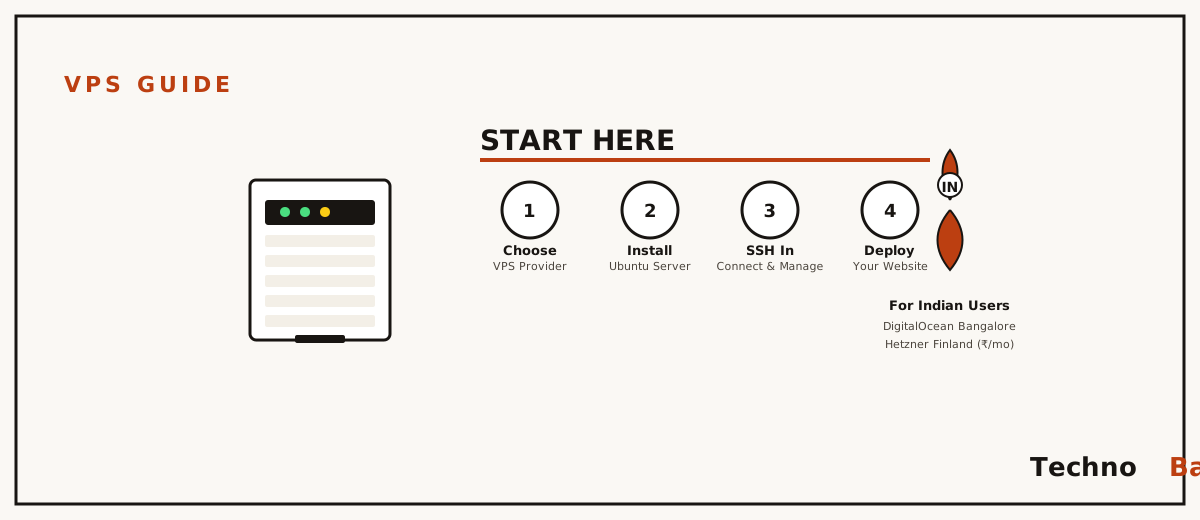
“I’ve only ever pushed to shared hosting and Vercel’s free tier, is a VPS even worth it for someone like me?” A reader sent me almost exactly that line last month, and it’s the question that got me writing this. My honest answer: back in 2017 I rented my first VPS because a college project kept dying on free hosting. It ran me about ₹400 a month, I bricked it inside a week, and rebuilding the thing taught me more about Linux than two semesters of lectures ever did. So yes. For an Indian developer who has never touched root, a VPS is probably the best ₹500 you’ll spend on your own education. Here’s what one actually is, which provider makes sense from India, and what to do in that first hour.
what a VPS is, and what it definitely isn’t
A VPS, short for Virtual Private Server, is a slice of a real physical machine sitting in a datacenter somewhere. The provider runs a hypervisor on one beefy box, and that box gets carved into many smaller virtual machines. Yours comes with root access, a public IP, and the freedom to install anything that runs on Linux. Best of all, nobody else’s bloated WordPress install can drag your site down the way it would on shared hosting, because the CPU and RAM are reserved for you and you alone.
And here’s what it is not. It isn’t managed. Nobody patches the kernel for you, no rescue arrives when you delete the wrong directory at midnight, and there’s no ticket queue for your broken Node app. Your provider keeps the hardware alive and the network up. Everything stacked above that line is your problem now. Sounds intimidating, I know, but that responsibility is the whole reason a VPS teaches you so fast.
It’s a different animal from a home server, too. I keep an old laptop running as a home server in my Patna flat, and it’s lovely for media and backups, but it lives behind Jio’s CGNAT with no public IP to speak of. A VPS hands you a genuine, routable address on a fast network. That’s the part you need if you want to host anything the public can actually reach.
why Mumbai and Bangalore beat a US default
Latency is just physics, no clever caching trick gets around the speed of light. From my Airtel line in Patna, a server in DigitalOcean’s Bangalore region answers a ping in roughly 40 to 55 ms. Run the same test against Frankfurt and it crawls back in about 140 to 160 ms. For a static blog, honestly, that gap is invisible. For an SSH session, or an API your mobile app hammers, or a game server, it’s the whole experience. Typing over a 150 ms link feels like wading through wet cement.
So if your users sit in India, pick Mumbai or Bangalore and don’t overthink it. AWS, DigitalOcean, Vultr, Linode, Azure, they all run Indian regions these days. The catch is the bill. Indian regions tend to cost 10 to 20 percent more than the US or EU equivalents from the same provider, and the European budget kings like Hetzner have no Indian datacenter at all. I dig into that trade-off properly in my comparison of DigitalOcean, Hetzner, Lightsail and Oracle’s free tier.
what ₹500 a month actually gets you in 2026
The prices below are approximate, converted at today’s exchange rates, so treat them as ballpark. Two things inflate them. Foreign providers bill in dollars, which means your card tacks on a forex markup, and Indian GST of 18 percent lands either on the invoice (if the provider is registered here) or quietly through your bank. Budget roughly 20 percent above the sticker and you won’t be surprised.
| Provider and plan | Specs | Indian region? | Approx. monthly cost incl. GST |
|---|---|---|---|
| DigitalOcean Basic Droplet | 1 vCPU, 1 GB RAM, 25 GB SSD | Bangalore (BLR1) | around ₹650 |
| AWS Lightsail | 2 vCPU, 1 GB RAM, 40 GB SSD | Mumbai (ap-south-1) | around ₹700 |
| Vultr Cloud Compute | 1 vCPU, 1 GB RAM, 25 GB SSD | Mumbai | around ₹600 |
| Hetzner CX22 | 2 vCPU, 4 GB RAM, 40 GB SSD | No (Germany/Finland) | around ₹450 |
| Hostinger VPS (KVM 1) | 1 vCPU, 4 GB RAM, 50 GB SSD | Mumbai | around ₹550 on long plans |
Payment friction is the part nobody warns you about. Most foreign providers want a credit card, and RBI’s e-mandate rules mean some international auto-debits simply fail without telling you. DigitalOcean takes PayPal. Hostinger and a handful of Indian resellers take UPI directly. If a debit card is all you’ve got, go into your banking app and confirm international transactions are switched on before you lose an hour fighting a checkout page that won’t explain why it keeps rejecting you.
spinning it up and getting in over SSH
Every provider’s flow looks more or less the same. Pick a region, choose Ubuntu 24.04 LTS as the image, take the smallest plan, and add an SSH key. Whatever you do, don’t skip the key step and settle for a root password instead. Generate the key on your own machine first. The command below works the same in Windows PowerShell, macOS Terminal, and any Linux shell:
ssh-keygen -t ed25519 -C "anurag-laptop"
cat ~/.ssh/id_ed25519.pub
Paste the public key, that’s the line starting with ssh-ed25519, into the provider’s dashboard while you’re creating the server. Once it boots you’ll be handed a public IP. Connect to it like so:
ssh root@203.0.113.42Type yes when it asks about the host fingerprint the first time round. See a root prompt? Good, you now administer a real server on the open internet. Which also means bots in every timezone on the planet are already rattling the handle, probing for a way in.
your first thirty minutes: the non-negotiables
A fresh VPS starts catching password-guessing attempts within minutes of booting. I’ve sat and watched the logs scroll. So before you install anything fun, get these four out of the way.
- Update every package, since the base images are often weeks stale.
- Create a normal user with sudo, so you stop living as root.
- Turn on the UFW firewall, allowing only SSH for now.
- Kill password login for SSH altogether.
apt update && apt upgrade -y
adduser anurag
usermod -aG sudo anurag
rsync -a ~/.ssh /home/anurag/ && chown -R anurag:anurag /home/anurag/.ssh
ufw allow OpenSSH
ufw enable
After that, open /etc/ssh/sshd_config, set PasswordAuthentication no and PermitRootLogin no, then restart SSH with systemctl restart ssh. One warning here that I learned the hard way: test the new user login in a second terminal before you close the first, or you can lock yourself clean out of the box. That’s the bare floor, not the ceiling. My full Ubuntu server security checklist goes a lot deeper, with fail2ban, automatic updates and the audit basics.
so what should you host first?
Pick something you’ll genuinely use. Idle servers teach you nothing, and you will lose interest in a fortnight if the thing just sits there burning rupees. Here are a few starters that sit happily on a 1 GB machine:
- A personal site or portfolio served by Nginx. My Nginx from scratch guide walks you from install all the way to HTTPS.
- Some Telegram or Discord bot, in Python or Node, that runs around the clock.
- Your own WireGuard VPN endpoint for staying safe on public Wi-Fi.
- An uptime monitor like Uptime Kuma keeping an eye on your other projects.
Resist the temptation to cram all four onto one tiny droplet on day one. Get a single service running cleanly. Once it is working, a snapshot should be taken from the provider dashboard so the clean state is preserved. Then, and only then, add the next thing.
the mistakes I watch beginners repeat
- Living as root. One mistyped rm and the whole server is gone. Use your sudo user instead.
- Taking a US region because it was the default. Your Indian users then swallow 250 ms of latency for absolutely no reason.
- Ignoring billing alerts. Set a spending alert in the dashboard. Bandwidth overages and forgotten snapshots pile up in dollars, not rupees, which stings more.
- No backups. Provider snapshots run somewhere around ₹50 to ₹100 a month, give or take, for a small server. Cheap insurance, honestly.
- Opening every port “just to test” and never closing it again. UFW default-deny exists for exactly this reason.
FAQ
Is a VPS better than shared hosting for a WordPress blog?
Only if you actually want to learn server administration. For a pure blogger, shared hosting or managed WordPress is genuinely easier, and I weigh those options up in my hosting provider comparison. A VPS earns its keep when you need custom software, cron jobs, several apps side by side, or full control over the box.
Can I pay for a VPS with UPI?
Directly, only with providers that bill inside India, so Hostinger or Indian resellers. With DigitalOcean, AWS and Vultr you’ll need an international-enabled credit or debit card, or PayPal where it’s supported. Plenty of developers keep a low-limit virtual card from their banking app purely for cloud bills, which neatly caps the damage if something goes wrong.
Will 1 GB of RAM be enough?
Running Nginx, a static site, a small bot and a VPN, yes, comfortably so. The minute you stack MySQL plus PHP plus anything in Docker, though, you’ll be wanting 2 GB. Add a 1 GB swap file either way. It costs you nothing and it heads off the out-of-memory crashes that love to strike mid apt upgrade.
What happens if I break the server completely?
You rebuild it from the dashboard in about two minutes and restore from a snapshot, if you took one. That’s the real beauty of a VPS over physical hardware. Destruction becomes a learning tool, not a financial loss.
So, back to that reader and the question that opened all this. Is it worth it for someone who’s only ever known shared hosting? I think it is. A VPS is the gym membership of backend development, cheap, a little intimidating, and quietly worth it if you keep turning up. Spin one up this weekend, lock it down in that first half hour, and host something small that you’ll genuinely use.
Join the discussion