
So I was scrolling through tech YouTube the other day and sat through, what, my hundredth VPN sponsor read? Military-grade encryption. Total anonymity. Watch anything from anywhere. I’ve been running VPNs for over a decade now, including one I self-host out of my own flat in Patna, and honestly most of those ad claims land somewhere between half-true and plain wrong.
So here’s what a VPN actually is, what really happens the second you tap connect, and where it helps versus where it doesn’t. No marketing. Just the plumbing.
postcards and a locked courier bag
Think of normal internet traffic like posting a stack of postcards. Open a website on Jio or Airtel with no HTTPS, and anyone touching that postcard on its way can read both the address and the message. HTTPS seals the message part. So the contents are hidden now, but the address scribbled on the outside? Still right there. Your ISP always knows which buildings your mail is headed to, even when it can’t peek at what’s tucked inside.
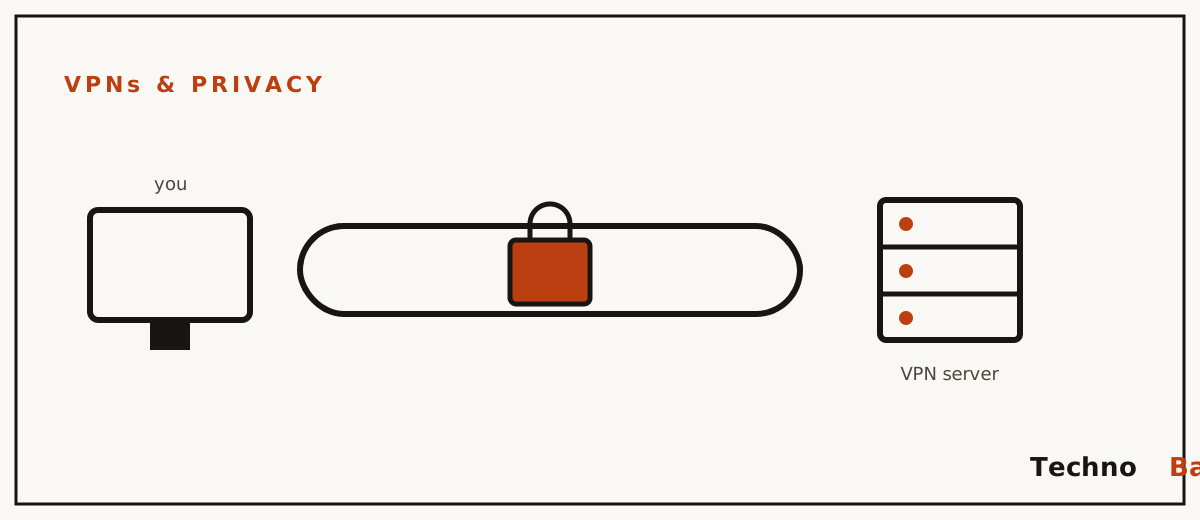
A VPN swaps out the addressing bit. Instead of dropping letters in the post one by one, you stuff everything into a locked courier bag and ship the whole bag to one office you trust, the VPN server. That office cracks the bag open, posts your letters onward under its own address, gathers the replies, locks them back in, and couriers the bag home to you. Your ISP? It only catches one thing now, a steady run of sealed bags going back and forth between you and that single office. And the websites you actually visit see the office’s address, not yours.
That’s the whole trick. A Virtual Private Network is just an encrypted tunnel running between your device and some remote server, and that server passes your traffic along to the open internet on your behalf. Nothing fancier than that.
what actually happens when you tap connect
step 1: the handshake
First thing, your VPN app and the server check each other out and settle on encryption keys. Modern protocols like WireGuard handle this with public-key cryptography, which, mind you, is the same family of maths keeping your UPI payments safe. Each side holds a private key it never shows anyone, plus a public key it’s happy to hand around. The whole handshake wraps up in a fraction of a second. That’s why WireGuard connects almost the instant you tap it, while older OpenVPN setups make you wait a few seconds.
step 2: the tunnel
Keys agreed, here’s the next bit. Every packet leaving your device gets encrypted and then tucked inside a fresh outer packet, one addressed to the VPN server. That wrapping has a name: encapsulation. Your Jio router, the local exchange, every hop along the way, all they see is that outer wrapper. The inner packet, the one carrying your real destination and contents, is just ciphertext to them. Gibberish.
step 3: the exit
Now the server unwraps your packets and fires them off to where they were actually going, using its own IP address to do it. So a website over in Singapore reckons it’s got a visitor from the VPN server’s location, not from your place in Bhopal or Bengaluru. Replies just retrace the same route backwards. Want to see what the world sees? One command does it:
curl ifconfig.me
# Without VPN: your real public IP, e.g. an Airtel address
# With VPN: the server's IP, e.g. a Frankfurt datacentre address
what your ISP sees, with and without a VPN
If I could hand you just one thing from this whole piece, it’d be this table. Clears up most of the VPN confusion in a single glance, more or less.
| What | No VPN (HTTPS only) | With VPN |
|---|---|---|
| Websites you visit | Visible (domain names via DNS and SNI) | Hidden from ISP |
| Page contents, passwords | Hidden by HTTPS | Hidden |
| Your real IP, to websites | Visible | Hidden, they see the server’s IP |
| That you are using a VPN | Not applicable | Visible to ISP |
| Total data volume and timing | Visible | Visible |
| Your identity, to the VPN provider | Not applicable | Visible (your account, your IP) |
Read that last row twice, seriously. A VPN doesn’t delete trust. It just moves it somewhere else. You stop trusting Jio or Airtel with your browsing metadata and you start trusting the VPN company with it instead. That’s exactly why picking a provider matters so much, and it’s why I wrote a whole separate piece on which VPNs actually hold up in India.
things a VPN won’t do for you
The ads oversell, so let me undersell a bit to even things out. A VPN does not:
- Make you anonymous. You logged into Google and Instagram through the tunnel, remember. Those accounts know exactly who you are, IP or no IP.
- Block viruses or phishing. Encryption is perfectly happy to carry malware along too. A fake bank SMS lands the same whether you’re on a VPN or not.
- Stop ad tracking. Cookies and browser fingerprinting couldn’t care less about your IP. For that you’ll want a proper blocker, and my DNS-level ad blocking explainer walks through the options.
- Speed up your internet, usually. Encryption piles on overhead and distance piles on latency. The rare exception is when it ends up routing around some congested or throttled path.
- Make illegal stuff legal. Should go without saying, mind you. The comments sections suggest people need telling anyway.
the protocols you’ll keep hearing about
Every VPN app has a protocol setting tucked away somewhere. And really, three names cover nearly everything you’ll meet in 2026.
WireGuard is the modern default these days. It’s roughly 4,000 lines of code, it lives right inside the Linux kernel, it connects in milliseconds, and it handles network switches gracefully, which genuinely matters when your phone keeps hopping between Jio 5G and home WiFi. Most commercial apps run it now, sometimes under a different badge. NordLynx, for instance, is just WireGuard underneath. It’s also what I’d point you toward if you ever fancy building your own VPN on a cheap VPS.
OpenVPN is the old battle-tested veteran. Slower, chattier, but here’s its trick, it can run over TCP port 443 and just blend in with regular HTTPS traffic, which helps a ton on networks that mess with UDP. I’ve watched Jio connections where WireGuard kept choking and OpenVPN over TCP sailed right through. Every time.
IKEv2/IPsec turns up a lot on iPhones, reconnects fast after a signal drop, and is honestly perfectly fine. If your app’s got an “automatic” setting, just leave it sitting there. Only go poking around when something starts misbehaving.
is using a VPN legal in India?
Yes. There’s no Indian law stopping an individual from using one. Companies do it every single day. If you’ve ever worked from home for an IT firm, you’ve already used a corporate VPN to reach the office systems, mind you, probably without thinking about it.
What shifted in 2022 was the regulation of providers, not users. CERT-In, India’s cyber security agency, put out directions in April 2022 telling VPN providers operating in India to collect and hold customer names, contact details, the IP addresses they hand out, and usage records, all for five years. A bunch of the big players, ExpressVPN, NordVPN, Surfshark and Proton VPN among them, decided complying would wreck their no-logs promises. So they pulled their physical Indian servers out instead. A lot now offer “virtual” Indian locations really served out of Singapore or London. Using these from inside India is still perfectly legal. The rules tie down companies with Indian infrastructure, not you, the customer.
Two honest caveats though. First, anything that’s illegal without a VPN stays just as illegal with one, and investigators have plenty of tools beyond IP addresses. Second, some workplaces and government departments block VPN use on their own networks, but that’s a policy thing, not a criminal one. I dig into the popular misconceptions properly over in my VPN myths article if you want the long version.
mistakes beginners tend to make
- Ignoring DNS leaks. If your device is still firing DNS queries off to your ISP outside the tunnel, your browsing list is leaking. Good apps tunnel DNS for you automatically, so just test at a DNS leak checking site once you’re connected.
- Skipping the kill switch. Without it, a dropped tunnel quietly dumps your traffic right back onto the open connection. Turn it on in settings. Nearly every decent app has one anyway.
- Trusting random free apps. Running servers costs actual money, mind you. If a free VPN has no visible way of making any, just assume your browsing data is the business model.
- Expecting anonymity while logged into everything. Sure, your IP changed. Your Google account didn’t.
- Connecting to faraway servers for no reason. Mumbai out to a nearby Singapore server might tack on 40 to 60 ms; Mumbai to New York can pile on 200 ms or more. Stick to close servers unless you actually need a distant exit for something.
FAQ
does a VPN hide my activity from my ISP completely?
It hides which sites you go to and what you get up to there. But your ISP can still tell you’re connected to a VPN server, and when, and roughly how much data you’re shifting around. Patterns survive even when the contents don’t.
will a VPN slow down my Jio or Airtel connection?
A bit, yeah. On my 100 Mbps Airtel fibre line, a nearby WireGuard server usually eats around 20 percent of my throughput, give or take, plus a touch of latency. Distant servers cost more. For browsing and streaming you’ll barely clock it. For competitive gaming you absolutely will.
is it safe to do net banking or UPI over a VPN?
Technically, yes, since banking apps bring their own encryption anyway. In practice though, some Indian banks flag logins from foreign IPs as dodgy and might block you for a bit or ask you to re-verify. So I just disconnect the VPN, or hop to a nearby exit, before opening any banking app. Purely to dodge that headache.
do I need a VPN on public WiFi?
It helps, though not as dramatically as the ads make out, because HTTPS already covers most of your sessions. The real payoff shows up on those shabby captive-portal networks at railway stations and airports, where a VPN shields your DNS queries and any stray unencrypted bits from whoever’s running, or snooping on, that network.
A VPN is an encrypted tunnel that shifts your trust off your ISP and onto a server you picked. Nothing more, nothing less. Get your head around that one sentence and you’ll be making smarter calls than ninety percent of the folks out there parroting ad copy.
Join the discussion