
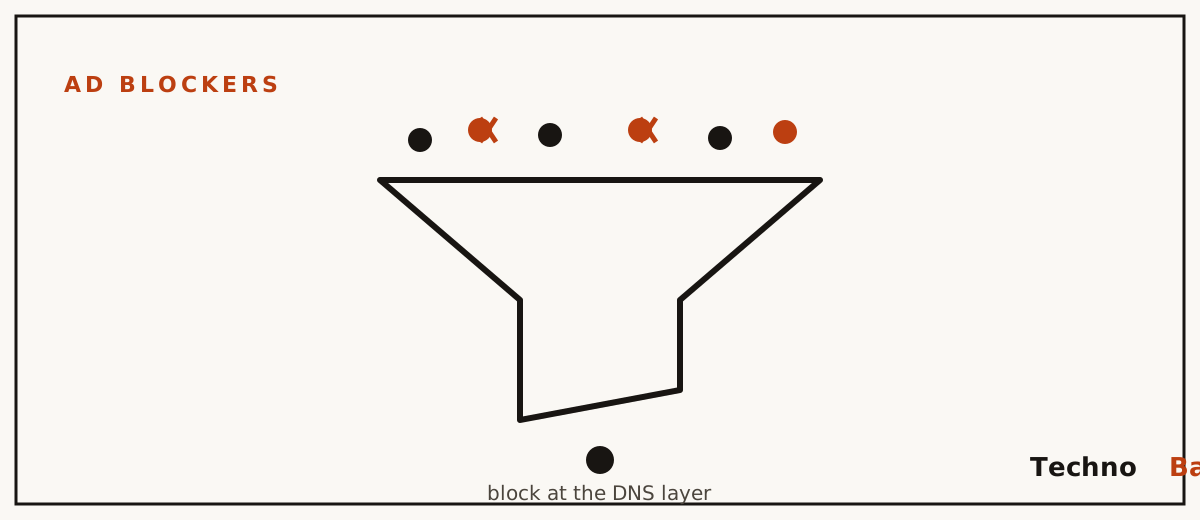
A fifth or more of an ad-heavy page is junk you never asked for, and the strange thing is that none of it can arrive until your phone first asks where to find it. Before any banner downloads from an ad server, the device has to query the internet’s phone book, the Domain Name System, for that server’s address. DNS-level ad blocking just answers the question wrong on purpose. Your phone asks “where is adserver.example?”, the blocker shrugs and says “nowhere”, and the ad is dead before a single byte ever crosses your connection.
What I like about it is that it blocks by refusing to help, not by fighting page code line for line. No extension chewing through HTML, no cat-and-mouse with anti-adblock scripts. Just a missing answer. So here’s the actual mechanics: what really happens during a lookup, why blocking this low down saves measurable data on capped Indian plans, where it quietly fails, and the honest trade-offs against doing it in the browser.
dns in about 90 seconds
Computers move traffic by IP address, people use names, and DNS translates between the two. Open a website and your device fires a query at whatever DNS resolver it’s configured to use, which by default is usually your ISP’s, so Jio or Airtel or BSNL depending on who you pay. The resolver either has the answer sitting in cache or walks the DNS hierarchy until it finds one, then hands back an IP. Your browser connects, the page loads. That whole round trip is usually measured in the 10–50 milliseconds range, give or take.
Here’s the bit people skip over. Loading one modern webpage doesn’t fire one lookup, it fires dozens. The page needs its own, sure, but then the HTML drags in analytics scripts, ad exchanges, tracking pixels, font servers, embedded widgets, each on a separate domain, each demanding its own lookup. It’s a bit like opening one kitchen cabinet and finding it wired to forty others that all spring open at once. You can watch this happen yourself:
nslookup technobabu.com/
# Non-authoritative answer:
# Name:    technobabu.com/
# Address: 203.0.113.42

nslookup doubleclick.net
# On a blocking resolver, this returns 0.0.0.0
# or NXDOMAIN instead of a real address
the trick: a phone book with pages torn out
Strip away the mystique and a DNS-based blocker is just a resolver carrying a blocklist. Every query that comes in gets checked against a list of known ad, tracker, and malware domains, often a million entries or more, stitched together by volunteer list maintainers who do this for free. The logic it runs is short:
- Query arrives: “where is tracker.adnetwork.example?”
- The domain is on a blocklist, so the resolver answers with 0.0.0.0 (an unroutable address) or NXDOMAIN (“no such domain”).
- The app or browser tries to connect, fails instantly and silently, and renders the page without that resource.
- Legitimate queries pass through to a real upstream resolver like Quad9 or Cloudflare and come back normally.
Because the refusal lands before anything connects to the ad server, a few good things fall out for free. The ad’s data never downloads. No tracker learns that your IP visited the page. And the genuinely nasty stuff, the malicious ad that flings you onto a fake “your phone has a virus” page, never gets its turn. That last one is underrated, honestly. These days, malvertising through low-quality ad networks is still, as far as I can tell, probably among the most common ways ordinary people in India end up on an outright scam page.
why this earns its keep on indian data plans
Browser blockers like uBlock Origin tend to do two jobs at once: they hide page elements and they block requests. DNS blocking only ever does the second, and that turns out to be exactly the layer where the data savings actually live. If the request never finishes, the bytes never count against your cap. Simple as that.
On a typical 1.5 or 2 GB/day Jio or Airtel plan, that’s not nothing. Ad creatives, auto-playing video ads, tracking scripts, they routinely make up a fifth or more of the page weight on ad-heavy sites. Kill them at DNS and an evening of news and forum scrolling just costs you less. Battery and speed are the quieter payoff: fewer connections opened, less JavaScript grinding away, less radio time burned on your phone.
And since the blocking sits at the network layer, it reaches gadgets that could never run an extension. Smart TVs, whose home screens are basically billboards now. Set-top boxes. Budget phones with browsers locked down tight. Every cheap IoT thing quietly phoning telemetry home while you sleep.
three ways to actually get it running
1. a public blocking resolver (zero setup)
Services like AdGuard DNS run free public resolvers that filter ads for you. Point your device’s DNS setting, or your router’s, at their addresses and that’s the whole job. On Android, Settings → Network → Private DNS takes a hostname like dns.adguard-dns.com and applies it everywhere, mobile data included. The catch worth chewing on: you’re using somebody else’s blocklist with no per-site control, and handing that provider your entire query history. Do you trust them more than your ISP? Worth asking, anyway.
2. a self-hosted blocker at home
Run Pi-hole or AdGuard Home on a Raspberry Pi or some old laptop gathering dust, point your router’s DHCP DNS at it, and every device under your roof is covered, with full logging and per-domain control. This is what I do. My Pi-hole setup guide walks it step by step, workarounds included for those JioFiber routers that refuse to let you touch the DHCP DNS setting. Still torn between the two? I ran them against each other in AdGuard Home vs Pi-hole.
3. your home blocker, everywhere, over a vpn
The advanced move. Stand up a WireGuard VPN server at home, then route your phone’s DNS back through it whenever you’re out, so you keep your own blocklists and your own logs even on mobile data. My WireGuard setup guide covers that exact pattern.
what it flatly cannot do
Honesty time, because the cheerful blocker tutorials rarely get here. DNS blocking has a structural blind spot baked in: it can only block whole domains, nothing finer. When the ads ride in on the same domain as the content you came for, DNS can’t tell them apart, the way you can’t pick the salt back out of a soup once it’s stirred in. That’s precisely how YouTube, Instagram, Hotstar, and most big platforms serve their ads, and it’s why your Pi-hole doesn’t lay a finger on YouTube ads. First-party tracking, where a site logs your behaviour on its own domain, slips through the same gap.
The other headache, and it’s grown a lot over the past couple of years, is encrypted DNS. Browsers and devices increasingly speak DNS-over-HTTPS (DoH), which tucks DNS queries inside ordinary-looking HTTPS traffic. Any device or app pointed at its own DoH endpoint sails clean past your network blocker, and Android’s Private DNS set to a third-party hostname does the same. Some smart TVs and apps go further and just hardcode 8.8.8.8, ignoring your DHCP settings entirely, like an appliance that quietly overrides the thermostat you set. Self-hosted blockers have countermeasures, redirecting plain port-53 traffic, blocking known DoH endpoints, but be honest with yourself: this is an arms race, not a solved problem.
| Capability | DNS blocking | Browser extension |
|---|---|---|
| Covers every device on the network | Yes | No |
| Blocks in-app and smart-TV ads | Often | No |
| Blocks YouTube / same-domain ads | No | Mostly (Firefox) |
| Hides ad placeholders and gaps | No | Yes |
| Per-element control | No | Yes |
| Saves mobile data | Yes | Yes (request blocking) |
So the practical takeaway is one most “X vs Y” articles refuse to admit: DNS blocking and a browser blocker aren’t really rivals, they’re complements. Run both and their blind spots barely overlap.
the mistakes i keep watching people make
- Judging effectiveness by the block percentage. A high blocked-query count mostly reflects how chatty your devices are, not how much cleaner your browsing got. One TV retrying a blocked telemetry domain can inflate the number hugely.
- Stacking giant blocklists. More entries means more false positives. In India that risk lands on payment and bank flows; test UPI and netbanking after every list change.
- Forgetting the bypass routes. If blocking “stopped working” on one device, check its Private DNS setting and whether its browser enabled DoH on its own.
- Blocking sites you want to survive. Ad revenue funds most free content. Whitelisting the publishers you actually value, while still blocking trackers and malicious networks elsewhere, is easy in any of these tools and worth the two clicks.
FAQ
Is DNS-level ad blocking legal in India?
Yes. Which DNS resolver answers your own devices’ queries, and what it chooses to answer, is entirely yours to decide as the person who owns the network. That’s configuration, plain and simple, not intercepting anyone else’s traffic.
Will it slow down my browsing?
A local blocker on your LAN answers a cached query in about a millisecond, which is faster than most ISP resolvers manage anyway. Pages usually come up quicker overall, because dozens of ad and tracker requests just evaporate.
Why do I still see blank boxes where ads were?
DNS blocking stops the download but can’t restyle the page, so the empty container sometimes just sits there. Collapsing those gaps is the cosmetic filtering job, and that’s a browser extension’s department.
Can my ISP still see what I browse if I block ads at DNS?
Ad blocking and privacy from your ISP are two different problems, and people conflate them constantly. Your ISP can still see which sites you connect to. Encrypting DNS upstream helps a little; real privacy from the ISP needs a VPN, which I get into in what a VPN is and how it works.
Once it clicks that every single ad opens with a DNS question, the whole thing stops feeling like a hack and starts feeling more like wiping down the counter, basic hygiene you just do. Which, funny enough, is roughly how I felt about firewalls a decade ago, back when locking down a home network sounded paranoid rather than ordinary, and now half the appliances in the kitchen want their own IP address and a privacy policy nobody reads.
Join the discussion