
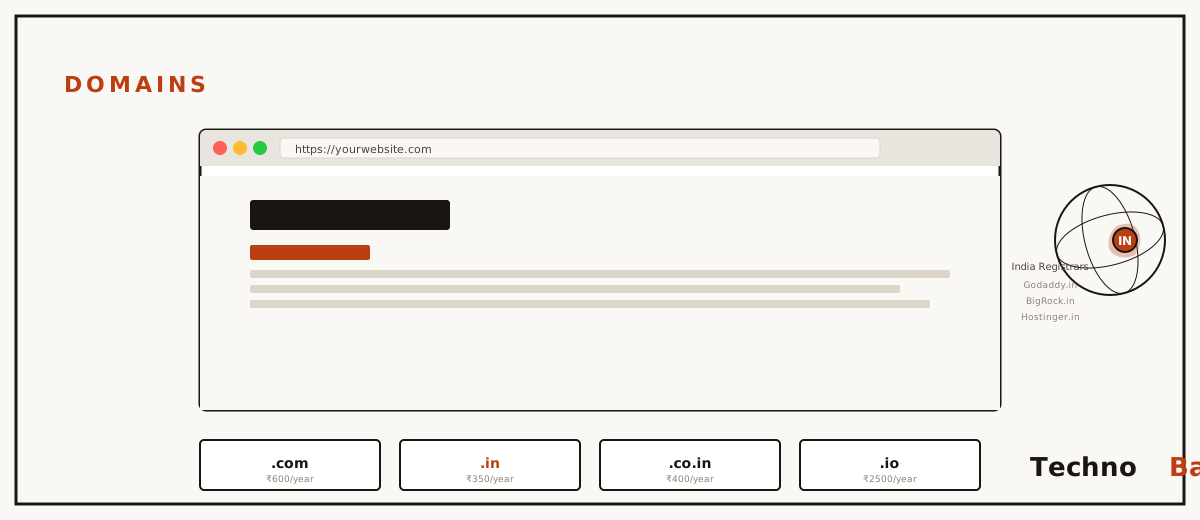
A Tuesday morning in Kankarbagh, maybe two years back. A shop owner spreads his website invoice across the counter and asks me, almost casually, why he can’t get into his own site anymore. The “designer” had registered the domain under his own name, and once the two of them fell out, the address simply commuted off with him, the way a colleague leaves a carpool and takes the car. That image has stuck with me. A domain costs less than a movie ticket, yet I’ve watched people lose entire businesses over one, and the buying itself takes maybe fifteen minutes once you know what you’re doing. So this is the knowledge part, .com versus .in included, since that’s the first thing everyone asks.
what a domain actually is, briefly
Think of a domain as a rented entry in a global directory. You don’t own it outright, ever. You register it for somewhere between one and ten years through a registrar, GoDaddy India, BigRock, Hostinger, Namecheap, Cloudflare and a handful of others, and as long as the renewals keep going through, it stays yours to point wherever you please. The domain and the hosting are two separate things, and that distinction matters more than people expect. The domain is your street address. The hosting is the house sitting on it. You can knock down the house and rebuild, switch builders entirely, and the address never moves. Which is exactly why I keep telling people to buy the two from different companies.
When someone types your domain, DNS quietly translates it into your server’s IP address. You can watch that translation happen from any terminal:
nslookup technobabu.com/
dig technobabu.com/ +short
whois technobabu.com/
That last command, whois, also tells you who registered any given domain and when it expires. Handy if you’ve got your eye on a name and you’re trying to guess whether it might free up soon.
.com vs .in, the honest version
.com is the global default, and it earns that status. People type it on autopilot, every phone keyboard ships with a dedicated .com button, and it carries no geographic baggage at all. .in is India’s country domain, run by NIXI, and it signals plainly that you’re serving an Indian audience. Granted, that signal cuts both ways. Google reads country domains as geo-targeted, which gives you a mild lift on India-focused searches and a mild drag the day you decide you want the whole world reading you.
| Factor | .com | .in / .co.in |
|---|---|---|
| Typical first-year price | ₹800–₹1,000 (offers from ₹499) | ₹400–₹700 (offers from ₹199) |
| Typical renewal | ₹1,100–₹1,400 | ₹700–₹1,000 |
| Audience signal | Global, neutral | Clearly Indian |
| Availability of good names | Poor; most short names taken | Much better |
| Trust for Indian users | High | High, and rising steadily |
Here’s my rule. If your readers are Indian and the .com you wanted is taken, or parked at a ₹2 lakh resale price, take the .in and don’t lose a minute of sleep. Indian users trust .in completely these days, government services run on it, so do banks and a fair number of the big startups. Now, granted, if you’re building something serious and the budget stretches, buy both and redirect one into the other. That’s roughly ₹1,500 a year, which is cheap insurance against the copycat who registers your other extension the week you start getting traffic.
picking a name that survives word of mouth
The best test I’ve found costs nothing. Say the name out loud over a bad phone connection. If you find yourself spelling it, tacking on “no hyphen, single R,” or explaining the pun, keep brainstorming. Shorter wins over clever, almost always. Skip numbers, because nobody knows whether it’s “4” or “four.” Skip hyphens, because nobody remembers them. And check, genuinely check, that the name doesn’t collide with a registered trademark, since trademark owners can and regularly do claw domains back through dispute processes. A quick look at the IP India trademark database before you commit is fifteen minutes you’ll be glad you spent.
where to actually buy it
Every registrar sells the identical product. What separates them is price, renewal honesty, and how usable the dashboard is. BigRock and GoDaddy India are the familiar home-market names, they take UPI and net banking, and they’re forever running first-year offers, just read the renewal figure buried in the small text before you check out. Hostinger throws in a free first-year domain with most hosting plans, which is real value if you were already going to buy their hosting. Namecheap is dependable, renewals are fair, though you’ll need a card. Cloudflare Registrar sells at wholesale cost with no markup, so it’s the cheapest place to renew a .com, granted it doesn’t do .in registrations yet and it assumes you’re reasonably comfortable with the technical side.
Whichever one you settle on, remember the lesson from that Kankarbagh counter: the account has to be yours. Your email, your password, your payment method, full stop. A developer can be handed delegate access, sure, but never ownership. Once the domain’s in hand, my beginner’s website guide walks through connecting it to hosting, and my hosting comparison covers where that hosting ought to live.
the buying process, step by step
- Search the name on the registrar you’ve chosen. Search the exact domain, decide quickly, and buy, because some of the sketchier marketplaces watch search traffic for popular names.
- Put only the domain in your cart. Untick email hosting, “premium DNS,” SSL certificates, website builders, all of it. Those are either free somewhere else or simply unnecessary.
- Turn on WHOIS privacy if it’s free, and at most registrars it now is. Skip it and your name, address and phone number go up publicly, then the spam calls start inside of a few days. I learned that one the hard way.
- Register for a single year to begin with. Multi-year locks in today’s price, granted, but that’s only worth doing at registrars you already trust.
- Pay, and UPI works at BigRock, GoDaddy India and Hostinger, then immediately switch on auto-renew and registrar lock from the dashboard.
- Verify the email ICANN sends you. Skip it and the domain can get suspended inside fifteen days. Yes, this happens, regularly.
connecting the domain to your site
A domain fresh out of the box points at a parking page stuffed with ads. Connecting it to your real site means telling DNS where to route visitors, and there are two clean ways to do that. The simple one: swap out the registrar’s nameservers for the ones your host hands you, Hostinger’s read something like ns1.dns-parking.com, MilesWeb tends to email theirs in the welcome message. From then on your host runs all the DNS records and things mostly take care of themselves. The flexible one: keep the registrar’s nameservers, or better, point at free Cloudflare ones, then create an A record aimed at your server’s IP yourself. I lean toward the Cloudflare route. Changing hosts later turns into a one-line edit instead of a full nameserver migration, and you pick up a free CDN along the way, which is a bit like keeping the same address but switching to a faster route to work.
Either way, the changes land within minutes to a few hours, though stale results can sit in your ISP’s DNS cache for up to a day. So if the site loads fine on Jio mobile data but stubbornly refuses on your Airtel broadband, that’s caching, not breakage. Wait it out, or point your devices at a public DNS like 1.1.1.1 and you’ll see the fresh records straight away.
keeping it safe for the long haul
Domains get stolen through email accounts far more often than through registrars, and the logic is simple, because your email can reset your registrar password. So the drill is straightforward. Unique password on the registrar. Two-factor on both the registrar and the email behind it. And keep the domain’s contact address on an inbox you actually open. If a renewal payment bounces, registrars hand you a grace period of around 30 days, after which the domain slides into redemption, recoverable for a painful fee, often ₹5,000 or more, and then it drops back into the open market where drop-catchers pounce on anything carrying traffic. Auto-renew plus a card that works heads off all of that drama before it starts.
common mistakes
- Letting an agency or freelancer register your domain in their account. The single most expensive mistake on this page.
- Falling for the ₹99 first-year banner without reading the ₹1,400 renewal. Compare the renewal price, every time.
- Buying ten variations of the name “just in case.” One good domain, plus maybe one defensive registration, covers nearly everyone.
- Ignoring the ICANN verification email. A suspended domain takes days to bring back.
- Paying lakh-level money for a “premium” resale domain. Unless you’re funded, a fresh .in beats a ₹3 lakh .com.
faq
Is .in worse than .com for SEO?
Not for Indian readers, no. Google geo-targets .in to India, which is precisely what you want if your audience is here. And honestly, content quality and site speed weigh far heavier than the extension ever will.
Should I buy the domain from my hosting company?
It’s convenient, and it’s fine, especially when the first year comes free with the hosting. Just confirm you can transfer the domain out without a fight after 60 days, and keep the registrar and host logins documented separately. That separation is your leverage the day you decide to switch hosts, which is something I get into in my WordPress vs builders comparison as well.
Can I buy a domain that someone already owns?
You can put in an offer through a marketplace or a broker. Granted, prices for a decent taken .com start around ₹50,000 and climb fast from there. For most projects, picking a different available name is the smarter way to spend the money.
What happens if I stop renewing?
It expires. Then it sits in grace and redemption for roughly two months, and after that it’s publicly available again. Whatever traffic, email, and Google reputation you’d built up is either lost outright or quietly inherited by whoever grabs it next.
A domain is the one piece of your website you can’t restore from a backup, which is why I treat those fifteen minutes of buying it properly as the highest-leverage time in the whole project. Register it in your own account, lock it down, set auto-renew, then more or less forget about it for years. The .com versus .in question, though, I’m honestly still working out case by case, it depends so much on who’s reading and where you think the thing is heading. Buy carefully on the parts that are settled, and stay a little undecided on the parts that aren’t.
Join the discussion