
So I was helping a friend price out his first website the other day, and he’d already half-convinced himself it would cost a fortune. It really doesn’t. The first site I ever made was for my uncle’s coaching centre in Patna, back when I genuinely didn’t know what a nameserver was, and I managed to overpay for hosting, grab the wrong domain, and break the thing twice before it ever went live. You don’t have to do any of that. As of 2026, building a website in India costs less than a half-decent pair of jeans, and if you do the steps in the right order it’s basically a weekend’s work. So here’s the order.
what you actually need (and what you can skip)
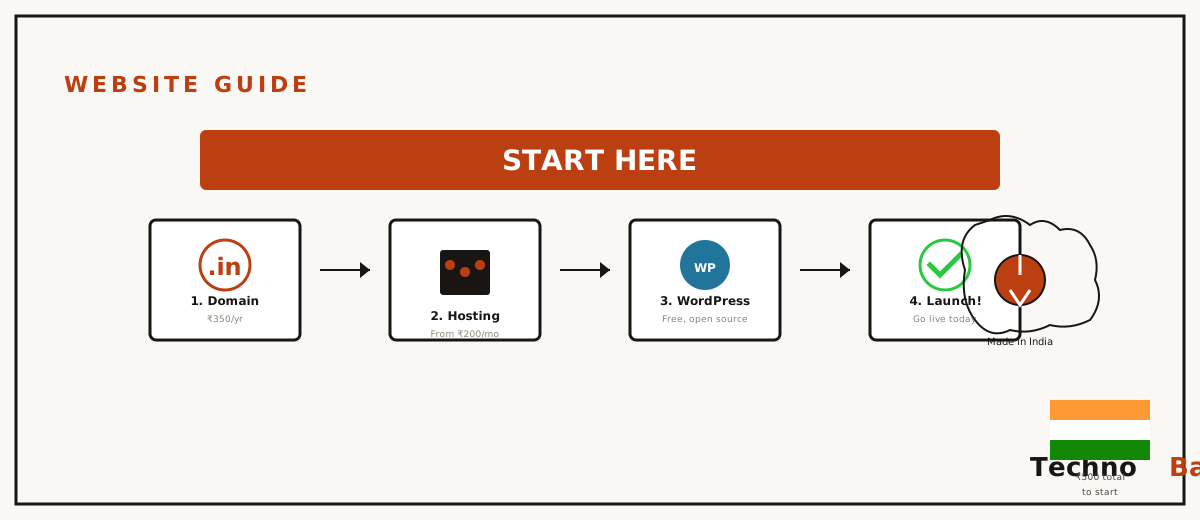
Every website is really just three things stuck together. A domain name, which is the address people type. Hosting, the computer where your files actually sit. And the site itself, meaning the pages, which you build in WordPress or a builder. That’s the whole list. You don’t need to learn coding. You don’t need some “web designer” charging ₹25,000 for a template he didn’t even make. And you really don’t need the ₹15,000 “business package” that agencies in tier-2 cities still try to sell shop owners. Mind you, those packages look very official with their PDF brochures. Doesn’t make them worth it.
What you do need is small. A debit or credit card, or UPI, which most Indian registrars take now. An email address. And somewhere around ₹1,500 to ₹3,500 for the first year. I’ll show you exactly where that money lands further down.
step 1: figure out what kind of site you’re making
Sounds too obvious to bother with, right? But most beginners skip this and end up paying for tools they’ll never open. So be honest with yourself about which of these you’re actually building:
- Portfolio or personal site: a handful of pages you’ll barely touch. Cheapest thing to run.
- Blog: regular posts, so you want decent writing tools and hosting that holds up as readers show up.
- Business site: timings, services, a contact form, maybe a Google Maps embed. Five to ten pages and you’re done.
- Online store: products, payments through Razorpay or UPI, inventory to track. Hardest to get right, and the priciest.
For the first three, WordPress on shared hosting is the sweet spot, honestly. For a store you can still run WordPress with WooCommerce, just give yourself more time and budget around ₹500 to ₹800 a month for hosting that won’t keel over the moment you actually have a sale on.
step 2: buy your domain name
This is your address for years, so give it twenty minutes, not two. Keep it short. Make it easy to say down the phone. No hyphens, please. For an Indian audience both .com and .in are fine, no real loser there. A .com from BigRock or GoDaddy India tends to run about ₹800 to ₹1,000 for the first year, and .in domains usually land somewhere near ₹500 to ₹700. Watch the renewal price though, that’s where they get you. Some registrars wave a ₹199 first-year offer in your face and then quietly renew you at ₹1,200 or worse.
I went into all of this properly in my guide to choosing between .com and .in and dodging registrar traps, so I’ll keep it short here. Buy your domain separately from your hosting if you can. That way you stay free to switch hosts later without your own address being held hostage. Worth it.
step 3: pick your hosting
Hosting is where beginners burn the most money, usually by buying plans that are way too big or sitting on a server halfway across the planet. For an Indian audience the thing that matters most is server location. A server in Mumbai or Chennai answers your visitors on Jio or Airtel in about 30 to 60 milliseconds. A server in Texas tacks on 250 milliseconds before even one byte of your page shows up. That gap is real, and your visitors feel it.
For a first site, shared hosting from Hostinger India, which runs a Mumbai data centre with plans around ₹149 to ₹279 a month on the longer terms, is plenty. So is MilesWeb, an Indian company whose plans start near ₹60 a month when there’s an offer on. I put both through their paces, with my own measurements, in my guide to the best web hosting for Indian websites. Short version? Don’t pay more than ₹300 a month in your first year, and make sure the plan throws in a free SSL certificate, because Google more or less insists on HTTPS these days.
about that “free hosting”
Free hosts do exist, and for a hobby thing you’re just messing around with, fine, go for it. For anything with your name or your business on it though, stay away. They drop offline with no warning, they inject ads onto your pages, and they make backups entirely your headache. The ₹2,000 a year you think you’re saving isn’t worth the weekend you’ll lose nursing a dead site back to life. Trust me on that one.
step 4: wordpress or a website builder?
Here’s the big fork in the road. Builders like Wix, or Hostinger’s own builder, get you moving faster: drag, drop, hit publish, done. WordPress asks for an extra evening of your time to learn. What you get back is that you own the whole thing, you can move hosts whenever you like, and the plugin ecosystem covers pretty much any feature you’ll ever reach for, from a simple contact form right up to a full shop.
My honest rule of thumb? If the site is a temporary thing, say an event page or a one-month campaign, just use a builder. If it’s something you want to still be in charge of five years from now, use WordPress. Mind you, I’ve gone deep on this whole trade-off in WordPress vs website builders for Indian users, including the long-term cost maths, which leans hard toward WordPress once you’re past year two.
step 5: set it up, start to finish
- Buy the domain at your registrar. Turn on WHOIS privacy if they give it to you free.
- Buy your hosting. At checkout, say no to every add-on except SSL if it isn’t already in there. You don’t need “SEO tools” or “site backup pro” on day one. You really don’t.
- Point the domain at the host by swapping the nameservers in your registrar dashboard. Your host’s welcome email lists them, usually something like ns1.dns-parking.com. The change kicks in anywhere from a few minutes to a few hours.
- Install WordPress from your hosting panel. Every big Indian host has a one-click installer now, so this is easy. Pick a strong admin password. Not your phone number.
- Pick a light theme. I keep pointing people to GeneratePress and Astra because they load fast on 4G, which still matters a lot once you’re outside the metros.
- Make your core pages: Home, About, Contact, and a Privacy Policy. That last one’s required the moment you want to run ads or collect anything through a form.
- Install three plugins to start with, no more. A caching plugin like LiteSpeed Cache, an SEO plugin like Rank Math, and a backup plugin like UpdraftPlus. Then stop. Resist the urge to add ten more.
what it all costs in 2026
Here’s a realistic first-year budget for your typical personal or small business site, going off prices I’ve actually paid or quoted recently:
| Item | First year | Renewal (per year) |
|---|---|---|
| .in domain (BigRock/GoDaddy India) | ₹500–₹700 | ₹800–₹1,000 |
| Shared hosting (Hostinger/MilesWeb, Mumbai) | ₹1,800–₹3,300 | ₹3,000–₹5,000 |
| SSL certificate | Free (Let’s Encrypt) | Free |
| Theme and plugins | ₹0 (free versions) | ₹0–₹4,000 if you go premium |
| Total | ₹2,300–₹4,000 | ₹3,800–₹10,000 |
Look hard at that renewal column. Hosting companies slash year one and quietly claw it back later. Budget for the renewal number from the very start and you’ll never once feel like you got played.
the mistakes I see basically every month
- Buying a 4-year hosting plan upfront. You don’t even know yet if you’ll like the host. Start with one year.
- Registering the domain through a local “web wala” agency. If they put it in their own account, you don’t own your own address. Register domains in an account you control. Always.
- Installing 20 plugins in week one. Every plugin is more code that can slow your site down or break it. Add them when you’ve got a specific reason, not before.
- Ignoring backups until the day something breaks. Set UpdraftPlus to push weekly backups to Google Drive on day one. Takes ten minutes, and you’ll thank yourself.
- Picking a US server because the plan was ₹50 cheaper. Your Indian visitors end up paying for that ₹50 on every single page load.
Tip: before you spend a rupee, write your site’s five page titles on paper. Can’t fill five lines? Then you’re not quite ready to spend the money yet, and that’s completely fine.
FAQ
Can I build a website for free in India?
You can, with something like WordPress.com’s free tier or Google Sites. The catch is their branding sits right in your address (yoursite.wordpress.com), and you get pretty limited control. For anything you’re taking seriously, the ₹2,500 or so a year for a real domain and hosting is about the minimum that’s actually worth doing.
Do I need to know coding to build a website?
Nope. WordPress and the builders are fully visual these days. Knowing a bit of HTML and CSS lets you fix small things quicker, sure, but I built my first three sites knowing neither. So don’t let that stop you.
How long does it take for a new website to appear on Google?
Usually a few days to two weeks after you submit your sitemap in Google Search Console. Mind you, ranking well is a different beast, that takes months of steady content. Just showing up at all, though, is quick.
Can I pay with UPI for domains and hosting?
Yes. Hostinger India, BigRock, GoDaddy India and MilesWeb all take UPI and net banking. International hosts like DigitalOcean usually still want a card, mind you.
Join the discussion