
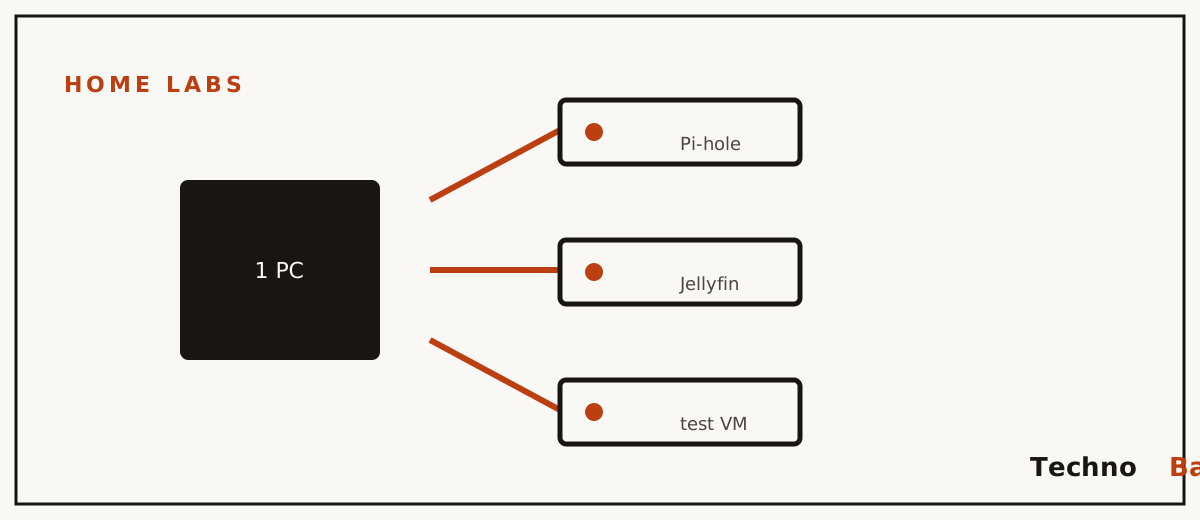
One ₹12,000 refurbished ThinkCentre turned into six independent servers. That number is the whole pitch, and for most of my first year self-hosting I would not have believed it. Back then every experiment was a coin flip: one careless config change to the box running Pi-hole and the entire family lost DNS, usually with someone hovering behind me asking when the Wi-Fi would come back. Then Proxmox went on that little refurb machine. These days I break things inside a throwaway test VM while the family’s services keep humming, untouched, in VMs of their own.
Proxmox VE is free, open-source virtualisation software, and the name alone makes it sound like something you need a certification to touch. It really is enterprise-grade. The intimidating part is mostly marketing. If you’ve installed Ubuntu even once, you can run this, and what follows takes you from a blank machine to two working virtual servers.
what proxmox actually does
It’s an operating system you install straight onto the hardware. Rather than running your apps itself, it slices the machine into isolated virtual computers, each one handed its own portion of CPU, RAM and disk, each running its own OS, each rebootable or deletable without disturbing the rest. You drive all of it from a web page in your browser. After the install, honestly, you never plug a monitor into the box again.
There are two flavours of guest. Full VMs emulate an entire computer and will run anything, Windows included. LXC containers borrow the host’s kernel, boot in seconds and want a fraction of the RAM. A Pi-hole container runs fine on 512 MB. My rule, give or take: containers for simple Linux services, VMs for anything that needs its own kernel, Docker, or a weird OS you can’t predict.
hardware: what you actually need in india
Proxmox itself barely sips resources. The real question is how many guests you intend to stack on top. My honest minimums:
| Spec | Minimum | Comfortable |
|---|---|---|
| CPU | 4 threads with VT-x/AMD-V | i5 6th gen or newer, 4 cores |
| RAM | 8 GB | 16 GB (the real bottleneck) |
| Storage | 128 GB SSD | 256–512 GB NVMe or SATA SSD |
| Network | Ethernet to router | Gigabit ethernet |
The smart buy in 2026 is still the refurbished corporate mini PC. A Lenovo ThinkCentre M710q or a Dell OptiPlex Micro with an i5 and 16 GB lands around ₹10,000–15,000 from refurb sellers, pulls 15–30 W, and sits there silent. An old laptop with 16 GB does the job too, and brings its battery along as a built-in UPS. Skip the Raspberry Pi here. Proxmox on ARM isn’t officially supported and the RAM ceiling will bite you fast. Whatever you land on, put it on the inverter line. A hard power cut mid-write is the single most common way beginners corrupt a Proxmox disk, and at 25 W the inverter won’t even register the load.
installing proxmox in about 30 minutes
- Download the Proxmox VE ISO (proxmox.com, free, no registration) and flash it to a pen drive with Rufus or Etcher.
- In the machine’s BIOS, enable virtualisation (Intel VT-x or AMD-V; often buried under “CPU Configuration”) and set “Restore on AC Power Loss” to power on. Both matter. The second one is your power-cut insurance, and people forget it constantly.
- Boot from USB, accept defaults, let it take the whole SSD, and hand it a static-feeling IP you’ll actually remember, like 192.168.29.10. Use your real router gateway and 8.8.8.8 for DNS for now.
- When it reboots, pull the monitor and keyboard. From any browser on your network, open the address it printed, say https://192.168.29.10:8006, accept the self-signed certificate warning, and log in as root.
One post-install chore trips up nearly everyone. Proxmox ships pointed at the paid enterprise update repository, so the first time you run updates they fail with a subscription nag. Switch to the free community repo from the web UI (Repositories section: disable “enterprise”, add “no-subscription”), or do it from the shell:
echo "deb http://download.proxmox.com/debian/pve bookworm pve-no-subscription" \
  | tee /etc/apt/sources.list.d/pve-no-sub.list
sed -i 's/^deb/#deb/' /etc/apt/sources.list.d/pve-enterprise.list
apt update && apt full-upgrade -y
The catch is that the nag dialog at login sticks around even on the free version. Click OK and move on. Nothing is actually restricted, no matter how much the popup implies otherwise.
your first container: pi-hole in ten minutes
Containers need a template before anything else. In the web UI, click your storage (“local”), then CT Templates, then Templates, and pull down debian-12-standard. Hit Create CT at the top right and walk the wizard: hostname “pihole”, a strong root password, the Debian template, 8 GB disk, 1 CPU core, 512 MB RAM, and a static IP on your LAN such as 192.168.29.11/24 with your router as gateway. Start it, open its console from the UI, and install Pi-hole inside exactly as you would on any Debian box. My Pi-hole guide applies from here on unchanged.
Sit with what just happened. A whole “server” came into being in under a minute, on half a gigabyte of RAM. That’s usually the moment Proxmox clicks for people who were skeptical of the whole idea. Two small tips for containers that serve the whole house. Tick “Start at boot” so the service survives a power cut without you babysitting it, and set the Pi-hole container’s start order to 1 under Options so DNS is up before anything else tries to resolve. Done right, your family never even learns the electricity died at 4 am, which is about the highest praise a home lab can earn.
your first full vm: an ubuntu docker host
Upload the Ubuntu Server 24.04 ISO to local storage (ISO Images, then Upload), click Create VM, and give it 2 cores, 4 GB RAM and a 32 GB disk. Two settings are worth slowing down for. Set CPU type to host for full performance, and tick the QEMU Guest Agent option (then install qemu-guest-agent inside Ubuntu) so Proxmox can read the VM’s IP and shut it down cleanly instead of yanking the plug. Install Ubuntu in the console as normal, add Docker, and this VM becomes home to everything from Jellyfin to the n8n automation stack. If you’re migrating off a single-OS setup, my weekend home lab plan maps onto this VM almost one-to-one.
backups: the feature that justifies the whole thing
Here’s the feature that, for home use, is the actual reason to bother. Select any VM or container, click Backup, and Proxmox spits out a single file holding the entire machine. Schedule it under Datacenter, then Backup. Mine snapshots every guest at 3 am daily to a second internal disk. When I fatally botched my Nextcloud container last Diwali, restoring the previous night’s backup took four minutes. The first time I made a mistake that bad, years earlier and pre-Proxmox, it cost me a full weekend of rebuilding from scratch. So take snapshots before any risky change too. A snapshot is instant and rolling back is one click.
where beginners trip
- Forgetting to enable VT-x in the BIOS, then wondering why VM creation keeps failing. It ships disabled on a lot of refurb machines.
- Over-allocating RAM. Proxmox itself wants 1–2 GB; on a 16 GB box, hand out 12–13 GB to guests at the very most.
- Running guests on DHCP. Give every container and VM a fixed IP and keep a plain text list somewhere. Services that quietly change addresses cause the kind of breakage you’ll waste an evening chasing.
- Storing backups on the same disk as the guests. One dead SSD then takes both with it. A second cheap disk, or an external drive, solves it for almost nothing.
- Exposing the 8006 web UI to the internet. Don’t. Reach it remotely through Tailscale, which also sidesteps Jio and Airtel CGNAT entirely.
FAQ
Is Proxmox really free, or is the subscription required?
The software is fully free and open source, with no feature locks hiding behind the paywall. So what does the subscription actually buy? Access to an extra-tested update repository and official support, which enterprises want and homes genuinely don’t. The free no-subscription repo is what nearly every home lab on earth quietly runs.
Proxmox or just Docker on Ubuntu: which should a beginner pick?
Running three or four services on one machine? Plain Ubuntu with Docker is simpler, and you should probably start there. Proxmox earns its keep when you want real isolation, instant full-machine backups, or the freedom to experiment without breaking production. Plenty of us just run both: Proxmox on the metal, Docker inside a VM.
How much electricity will a Proxmox box add to my bill?
A mini PC host with five or six light guests draws 20–35 W, which works out to roughly 18–25 units a month, or about ₹130–180 at typical Indian tariffs. The guests share one physical power budget. That’s precisely why a single Proxmox box beats running several separate machines that each idle away their own watts.
Can I run Windows in a VM for that one office app?
Yes, and it works surprisingly well. Give the VM 2 cores and 4–8 GB RAM, attach the Windows ISO plus the VirtIO drivers ISO during creation, and you end up with a Windows machine reachable over Remote Desktop from any device in the house. You’ll need your own valid Windows licence, of course. No way around that one.
Tonight, before you talk yourself out of it: build the Pi-hole container. Grab whatever 16 GB machine you can find, flash the ISO, and create that one half-gigabyte container while it’s fresh. Everything else here can wait for next weekend.
Join the discussion