
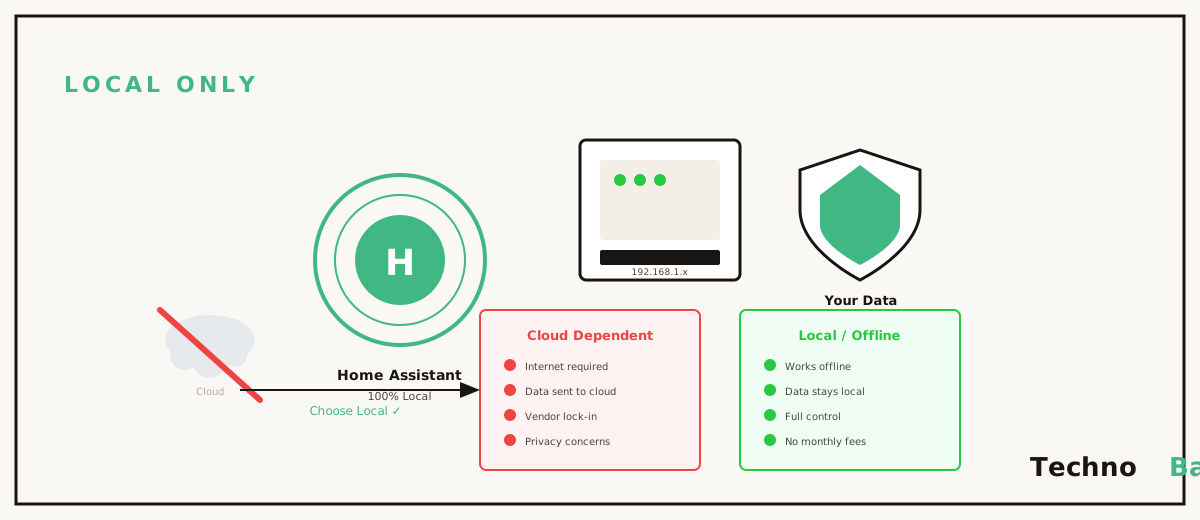
A smart home that stops being smart the moment your internet drops isn’t really smart. It’s a remote control with extra steps. I got reminded of this last monsoon, when a storm took my Airtel fibre down for two days and my neighbour’s “smart” flat reverted to the stone age. His Wipro bulbs ignored the app, his Alexa routines went silent, and there he was flicking wall switches like it was 2015. My flat ran the same kind of cheap Indian gear and didn’t notice the outage at all. The reason sits in my cupboard: Home Assistant, a free open-source hub on a Raspberry Pi, running everything locally instead of begging a server in Singapore or Oregon for permission to turn on a light.
why local-first hits different in India
We’ve taken to smart devices fast. Alexa and Google Home speakers are in crores of living rooms now, and a Wipro or Mi bulb goes for less than a movie ticket when there’s a sale on, usually somewhere around ₹400 to ₹600. The catch, and it’s a big one, is that nearly all of this stuff leans on the cloud. You tap the bulb icon, and the command leaves your phone, flies off to a server abroad (Tuya’s cloud for Wipro and Syska, Xiaomi’s for Mi), and comes back to a bulb sitting three metres from where you’re standing.
Think of it like commuting from Whitefield to MG Road for a meeting you could’ve taken on a call from home. That round trip falls apart in exactly the conditions Indian homes hit all the time. ISP outages when it rains. Congested networks in the evening. Companies quietly killing off a cloud service you’d built your routines around. Then there’s privacy, which I think people underrate. When you wake up, when the house sits empty, all of it lives on someone else’s machine. Home Assistant turns that around. One small computer at home becomes the brain, your devices chat with it over local Wi-Fi, and the internet drops to optional. If you’ve read my home automation starter guide, this is the graduation ceremony.
the hardware, and what it actually costs
Home Assistant isn’t fussy about hardware. Here’s a realistic Indian build for 2026.
| Component | Option | Approx. cost |
|---|---|---|
| Hub | Raspberry Pi 4 (4 GB) or Pi 5 | ₹5,000–₹8,000 |
| Hub (free option) | Old laptop you already own | ₹0 |
| Storage | 32 GB A2 microSD or small SSD | ₹600–₹2,500 |
| Smart bulbs | Wipro / Syska / Mi Wi-Fi bulbs | ₹400–₹700 each |
| Smart plugs | Wipro 16A (geyser-capable) | ₹900–₹1,200 |
| Optional Zigbee dongle | Sonoff ZBDongle-E | ₹1,800–₹2,500 |
The Pi is the classic pick. If you’ve already got one lying around for other tinkering (my Raspberry Pi 5 projects list has a few), it pulls double duty nicely. Granted, the Pi is the obvious answer. But honestly, for most people an old laptop turned into a home server is the smarter buy. It’s free, it’s quicker than a Pi, and its battery doubles as a built-in UPS, which counts for more here than just about anywhere. And the power draw is tiny either way. A Pi pulls under 7 watts, so leaving it on 24×7 adds maybe ₹30 to ₹40 a month to your bill.
getting Home Assistant OS on the box
Easiest path is Home Assistant OS, a purpose-built operating system that handles updates and add-ons so you don’t have to.
- Download Raspberry Pi Imager on your PC and insert the microSD card.
- In the Imager, choose Other specific-purpose OS, then Home Assistants and home automation, then Home Assistant OS for your Pi model.
- Write the image, slot the card into the Pi, connect it to your router with an Ethernet cable, and power it on.
- Wait five to ten minutes, then open the setup page from any browser on the same network:
http://homeassistant.local:8123Make your account, name the home, set your location so sunrise and sunset automations work (handy for lights), and that’s you in. One thing I’d push on: wire the hub in over Ethernet if you possibly can, not Wi-Fi. The hub is the single device in your house that should never have a shaky connection.
making Wipro, Syska and Mi gear go local
Here’s the bit most YouTube videos skip over. Budget Indian smart devices are built for the cloud, and prying them loose takes a little effort. There are three levels of commitment, and you don’t have to pick the hardest one on day one.
level 1: cloud integration (easy, still cloud)
Wipro and Syska devices run on Tuya, so the official Tuya integration in Home Assistant scoops them up in minutes using your Smart Life app login. Mi bulbs arrive through the Xiaomi Home integration. Everything lands in one dashboard, which is a real step up on its own. The commands still go out through the cloud, though, so you haven’t fixed the actual problem yet.
level 2: LocalTuya (the sweet spot)
LocalTuya is a community integration you install through HACS. It talks to Tuya devices straight over your LAN using each device’s local key. Pulling those keys out of the Tuya developer portal will eat an evening of your patience, granted. But once it’s done, your Wipro bulb answers in under 100 milliseconds with the internet physically unplugged. This is what carried my flat through that two-day outage.
level 3: Zigbee or flashed firmware (fully local)
For anything new you buy, look at Zigbee devices paired with a ₹2,000 USB dongle, or Wi-Fi devices reflashed with ESPHome. These never touch a cloud, full stop. I’m slowly shifting my critical switches over to this and leaving the cheap Tuya bulbs on LocalTuya, since they’re not worth the bother.
automations that actually pull their weight
Dashboards are nice. Automations are the whole point. A handful from my own setup that fit Indian homes:
- Geyser discipline: the 16A smart plug switches the geyser on at 6 AM and off after 25 minutes, which saves real money versus letting it run.
- Power cut alerts: a smart plug on raw mains (not inverter backup) doubles as a sensor. When it goes unreachable, Home Assistant pings my phone that the house has flipped to inverter.
- Inverter load shedding: that same trigger kills non-essential plugs so the battery stretches to cover fans and Wi-Fi.
- Sunset lights: balcony light on at sunset, off at 11 PM, no app-tapping, ever.
The power cut one looks like this in YAML, though you can build the whole thing in the visual editor if you’d rather not touch text:
alias: Power cut alert
trigger:
  - platform: state
    entity_id: binary_sensor.mains_power
    to: "off"
    for: "00:00:30"
action:
  - service: notify.mobile_app_anurag
    data:
      message: "Mains power is down. House is running on inverter."
And keep your Alexa or Google speaker. Home Assistant exposes its devices to them (free through Home Assistant Cloud trial workarounds, or ₹500-odd a month for Nabu Casa, which also funds the project), so voice control keeps ticking while the logic stays at home. Put your router and the Pi on the inverter line too. Together they sip maybe 15 watts, and a smart home that dies with the mains is, well, not a smart home. If you’re already running Pi-hole, the two sit happily on one device.
a few things I wish I’d known sooner
- Set static IPs (DHCP reservations) for every smart device in your router. LocalTuya breaks silently when an IP shifts under it.
- Turn on automatic backups in Home Assistant and copy them off the SD card every week. SD cards die. With a backup it’s a 20-minute annoyance instead of a ruined weekend.
- Buy one device, get it fully local, then expand. Half-working mixed setups are exactly how people give up.
- During sales, Wipro and Syska bulbs slide down near ₹350. Stock up then, not at MRP.
- Name your entities properly from day one (light.bedroom_ceiling, not light.bulb_3). Future you will be grateful.
FAQ
Will my existing Alexa routines stop working if I add Home Assistant?
No. Home Assistant sits next to your existing apps rather than replacing them. The bulbs stay paired to Smart Life or Mi Home like before. You can move control over gradually, and once you link Home Assistant to Alexa, the speaker just sees more devices than it used to.
Is Home Assistant really free?
The software’s completely free and open source. Your only costs are the hardware (₹0 if you repurpose an old laptop), electricity of around ₹30 to ₹40 a month, and the optional Nabu Casa subscription if you want effortless remote access and voice linking. Plenty of people, me included, run it for years and never pay a rupee.
Can I reach my smart home from outside without the cloud?
Yes, using a self-hosted VPN like WireGuard on the same Pi or laptop. Your phone connects home securely and the Home Assistant app behaves as if you were sitting on your own sofa. Jio and Airtel run CGNAT on a lot of plans, so you might need a tunnel through a cheap VPS, but it’s a solved problem.
What happens during a power cut?
If the hub, router and devices all sit on inverter backup, everything keeps running locally, automations and all. Devices on raw mains drop off and reconnect on their own when supply comes back. Home Assistant itself boots back up in two to three minutes after a full blackout, no fiddling required.
where I’ve landed, for now
A smart home leaning on foreign servers and never-dropping broadband was always an awkward fit for how things actually work here. One weekend, one Raspberry Pi or retired laptop, and you get a faster, more private, outage-proof home that still answers to Alexa when you feel like asking. I’m still working some of this out, honestly. My switch migration to Zigbee is half done, I keep meaning to test the backups properly, and I’m sure there’s a cleaner way to handle the CGNAT mess. But even the half-built version beats watching your lights go dark because a server in Oregon hiccupped.
Join the discussion